Keywordsai practice 30 day planBlogai for workai at workworkplace aiai for professionalshow to use ai at workai productivity
Related searches30 day ai at work planhow to practise chatgpt at workai prompt library for workhow to build an ai habit at workai guardrails for daily workai practice 30 day plan
Fluency is a habit, not a session
A training session can explain what a model is doing. It cannot make you fluent. Fluency is the same two tasks, repeated on real work, with prompts that survive a deadline and a short log of hours saved and errors caught. Pick work you already do every week. If you will not meet the task again within seven days, it is a demo, not practice.
Pair one language-heavy task with one judgement-heavy task if you can: a status email plus a variance note, or meeting actions plus a pre-mortem. People who only draft become fast and careless. People who only critique stay careful and still slow on the chores that eat the calendar.
If you only practise on toy examples, you will return to the old path the first week the inbox is heavy. The busy week is the test.
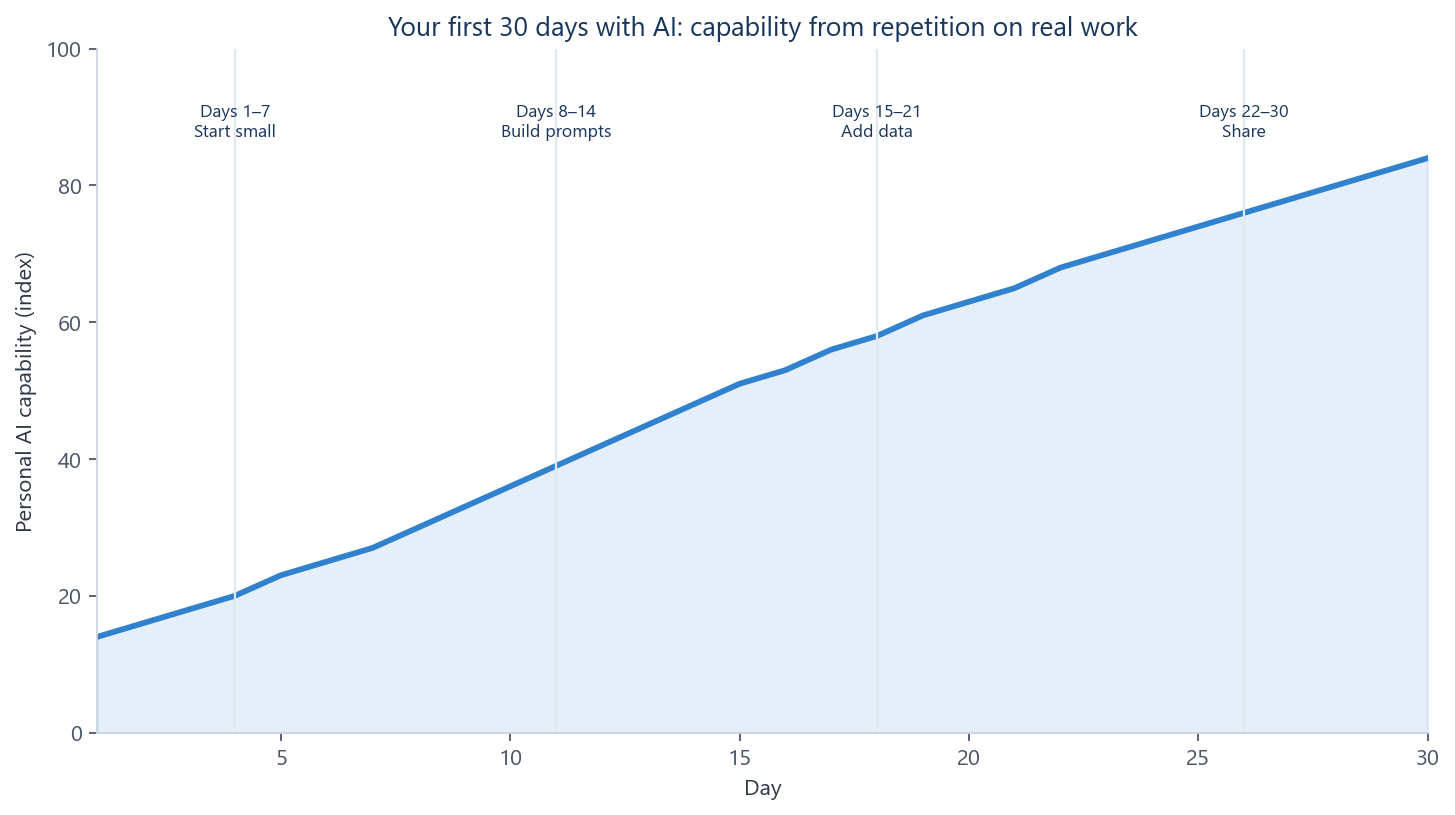
Thirty days on two tasks
| Days | Focus | Rule |
|---|---|---|
| 1–7 | Start small | Draft and summarise on public or green notes only. Time the old path once so you have a baseline. |
| 8–14 | Save prompts | Keep three cards, not twenty chats. Each needs role, task, constraints, output and a data class. |
| 15–21 | Add data | Classify before you paste. Yellow only in the approved tool. Red stays out. Arithmetic stays in the spreadsheet. |
| 22–30 | Share | Give a colleague the same brief and prompt. If they cannot run it, it is still a private trick. |
If week one feels under-used, that is the design. People who jump to confidential analysis on day two usually skip classification as well.
A weekly log that is small enough to keep
Hours are net of review. Errors include mistakes the model introduced and mistakes it helped you find. If week two shows faster drafts and more errors introduced, you do not yet have a gain. You have moved work from typing into checking.
| Week | Task | Old minutes | New minutes (incl. review) | Errors |
|---|---|---|---|---|
| 1 | Status email | 22 | 18 | 1 invented date |
| 2 | Status email | 22 | 14 | 1 missing owner caught |
| 3 | Incident note | 40 | 31 | 1 wrong KPI removed |
| 4 | Both, shared | 62 | 44 | Constraints rewritten |
Three keepers and a send check
Use Professional Prompting for the full brief. The three templates below are enough to start the ramp. Fill the brackets only with facts the tool is allowed to see.
Email. Role: write in my voice, direct, no slang.
Task: reply with a decision and a next step.
Constraints: do not invent dates, prices or apologies. British English.
Output: 120–180 words, decision in the first five lines, owner and date on every action.
Quality: list any fact you assumed.

Meetings. Role: chief of staff.
Task: turn notes into decisions, actions (Owner | Action | Date) and open questions.
Constraints: do not invent agreements. If the notes are silent, mark Open question.

Analysis. Role: analyst who may not invent arithmetic.
Task: observed facts, then hypotheses separately.
Constraints: every number in facts must appear in the table. No causal language in the facts section.
Output: facts | gaps | ranked hypotheses | checks to run in Excel.
Before anything leaves your name: classify the paste, use an approved tool for yellow data, check every number and name against a source, and name the human who owns the send. A fluent paragraph that leaked a customer is still a failure.
Green is public or fully anonymised. Yellow is internal and stays in the approved tool. Red — customer identity, unreleased numbers, credentials, health, privileged advice — does not go into a generative prompt on this ramp. If you hesitate, it is not green.
What to do this week
Choose two repeating tasks. Time the old path once. Run days 1–7 on green data only. Save one prompt that earned its place. After thirty days, keep what you used, give each keeper a data class, and add at most one new task in month two — preferably a step in the same workflow. A library you do not open is decoration. Ordinary repetition is compounding.